
Switch instantly
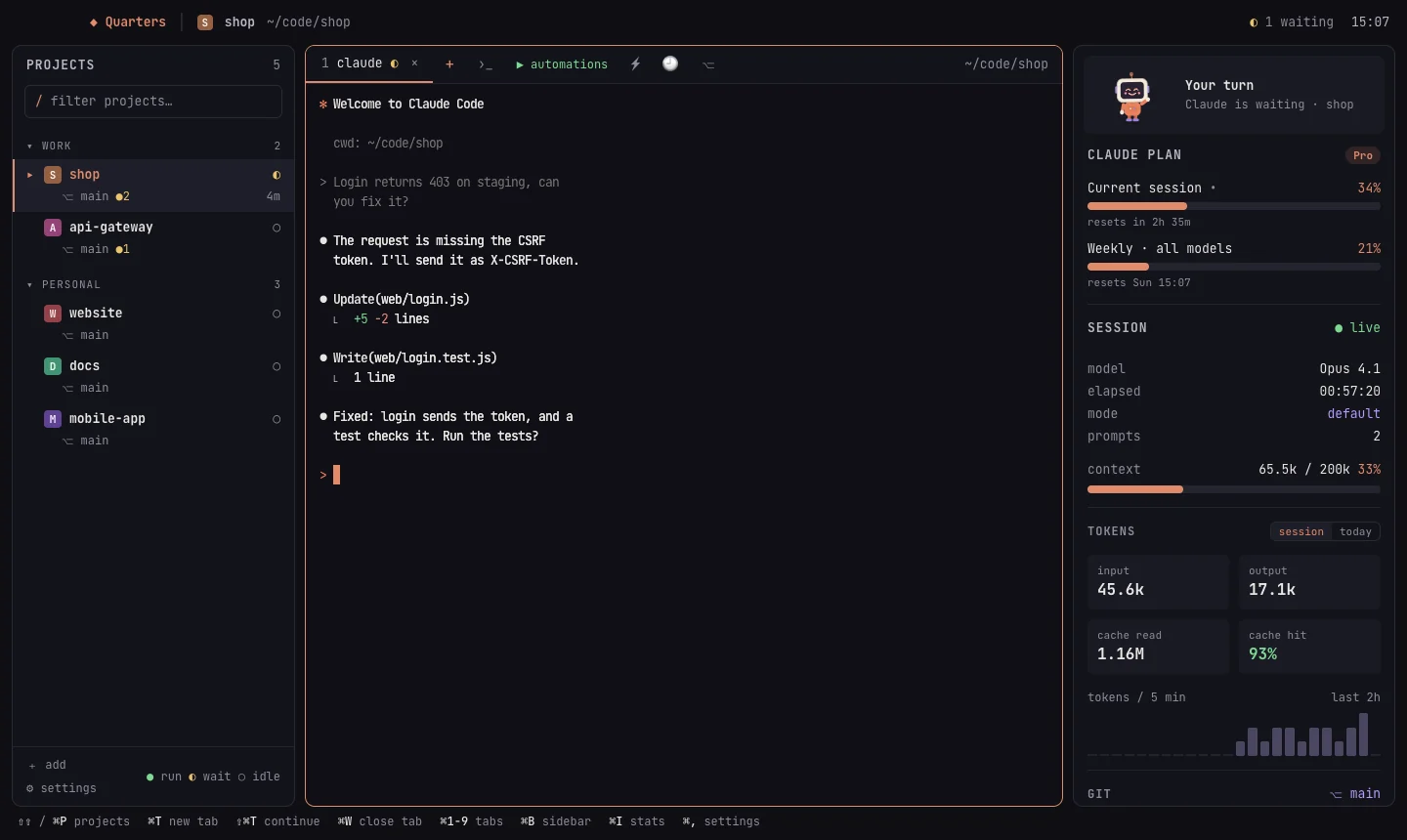
Every project is one click or ⌘P away. Its Claude sessions keep running while you're elsewhere.
Free & open source · macOS · MIT
Every project gets a room. Switch between them in a click, run Claude in several at once, start your whole dev stack with one action, and pick up from your phone when you're away from the desk.
For developers who juggle many projects. Nothing else.
The routine
cds, and which one was waiting?If you use Claude Code on more than one project, you know it: a terminal per project, cd into each, start claude, start the backend, start the frontend, then hunt for the window that finished ten minutes ago.
Quarters takes that routine away. It's a deliberately small wrapper around Claude Code: no AI of its own, no accounts, no cloud. Your projects, your Claude login and your machine stay yours.
~ ❯ cd ~/code/shop && claude
~ ❯ cd ~/code/api-gateway && claude
~ ❯ cd ~/code/api-gateway && npm run dev
~ ❯ cd ~/code/web && pnpm dev
~ ❯ # …which tab was done?
● shop          working
◐ api-gateway   your turn   ▶ api · web up
● web           working
○ docs          idle · 2h
Take it for a spin
A tiny, pretend Quarters. Switch projects while Claude works in the others, and watch for ◐ your turn.
Why Quarters
Every project is one click or ⌘P away. Its Claude sessions keep running while you're elsewhere.
Claude in as many projects as you like, and a nudge when one finishes and is waiting for you.
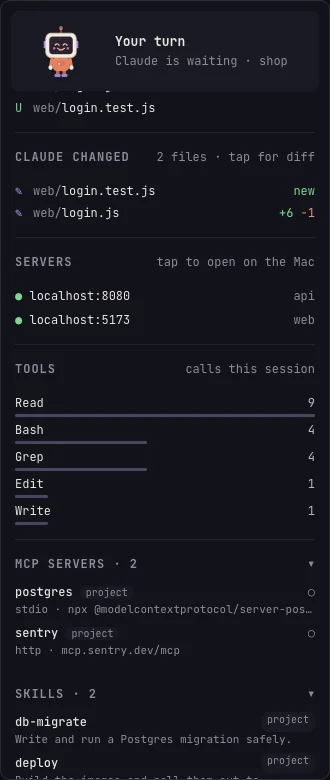
Model, context, tokens, your plan's limits, git changes, what Claude edited, MCP servers and skills.
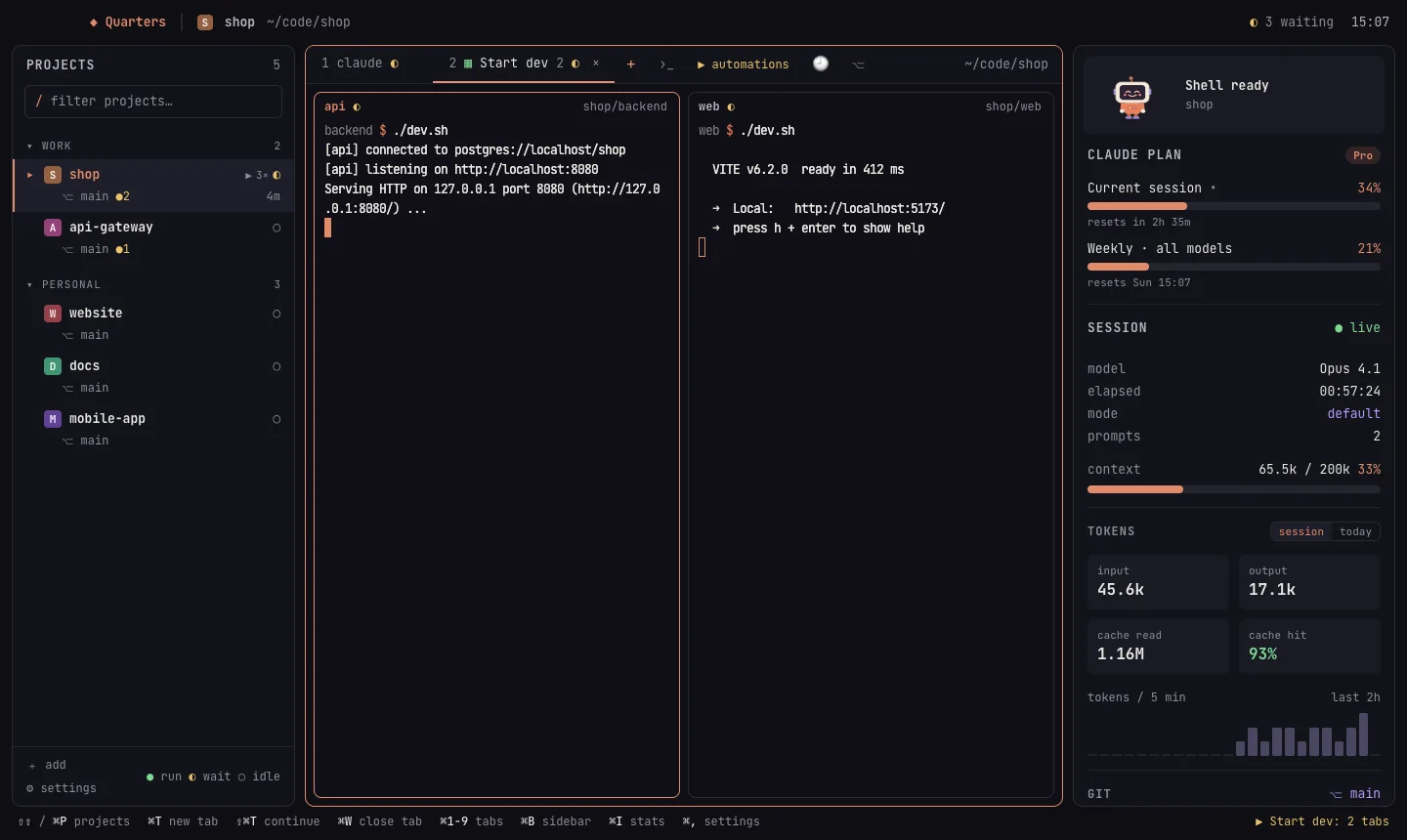
Automations open the backend, the frontend and that one script, side by side, in one action.
Leave it on the big machine at home and carry on from a laptop, iPad or phone, live.
Features
An automation opens a set of terminals, each in its own folder with its own command, arranged as a grid, side by side, stacked or as tabs. Run it with ▶, when the project opens, or on a schedule (weekdays at 09:00, say).
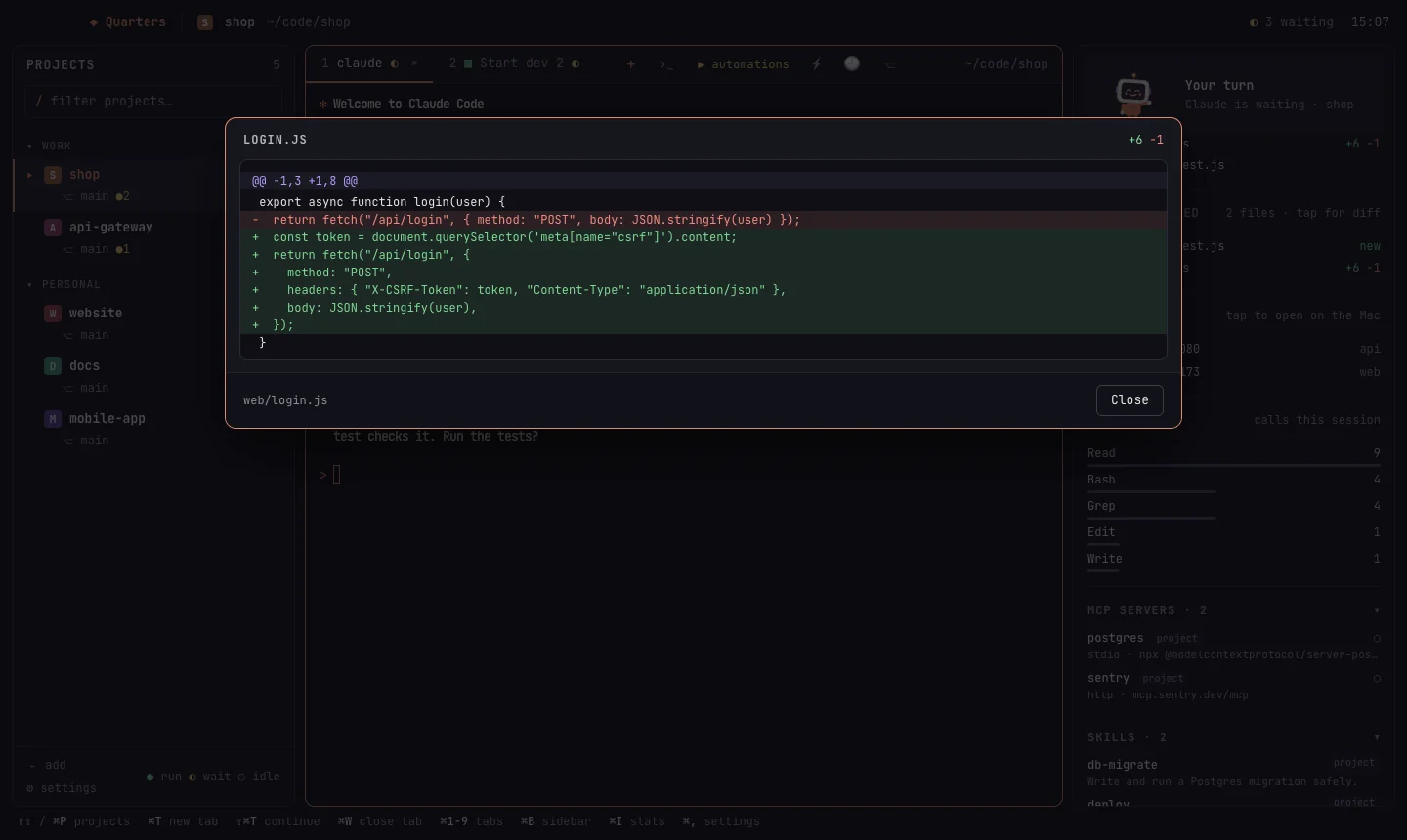
Your Claude plan's usage limits and when they reset, the session's model, permission mode and context window, tokens this session or today, and the files Claude edited, with diffs one click away.
Search everything you and Claude said in a project and resume any conversation. After a restart, Quarters offers to reopen every session and automation that was running.
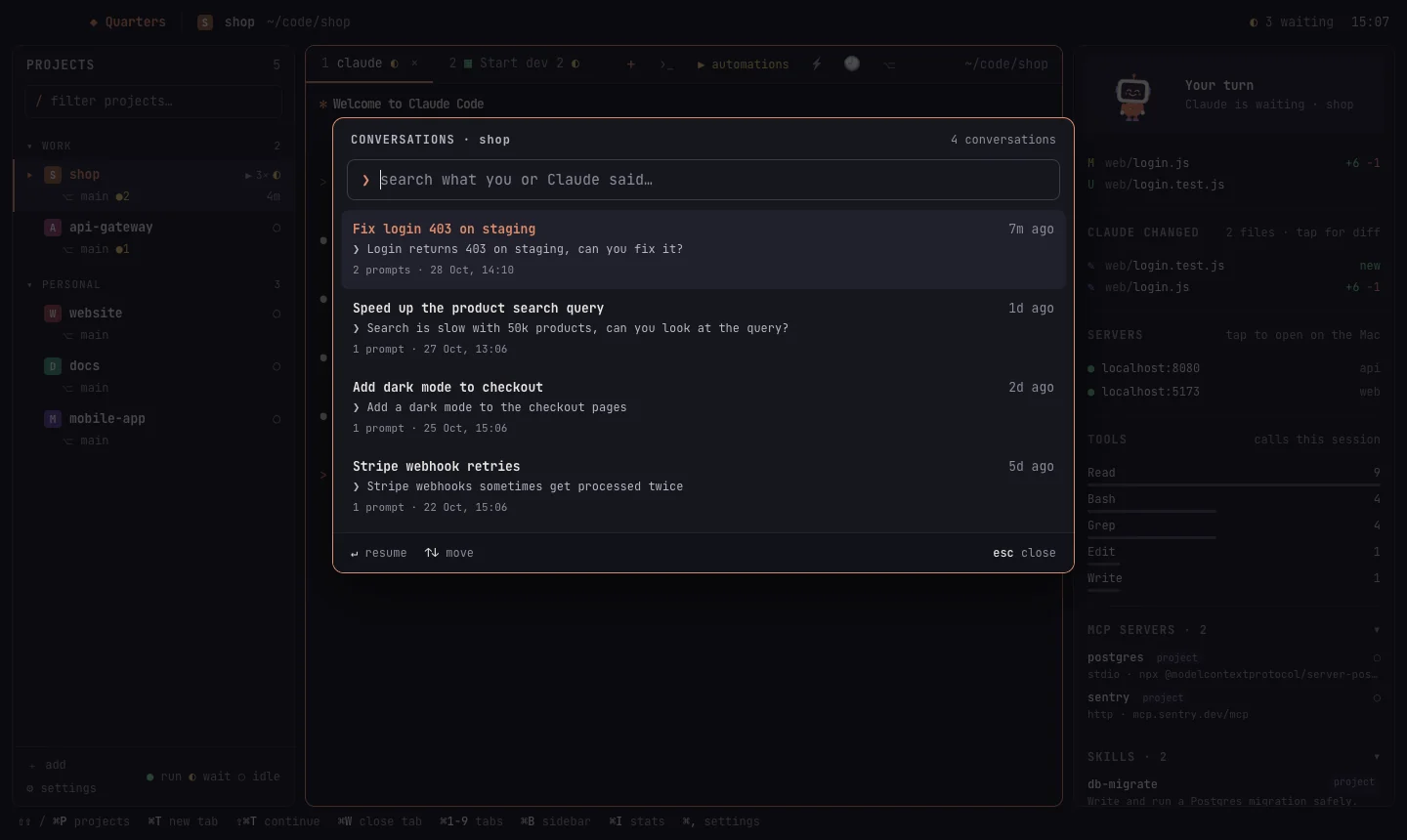
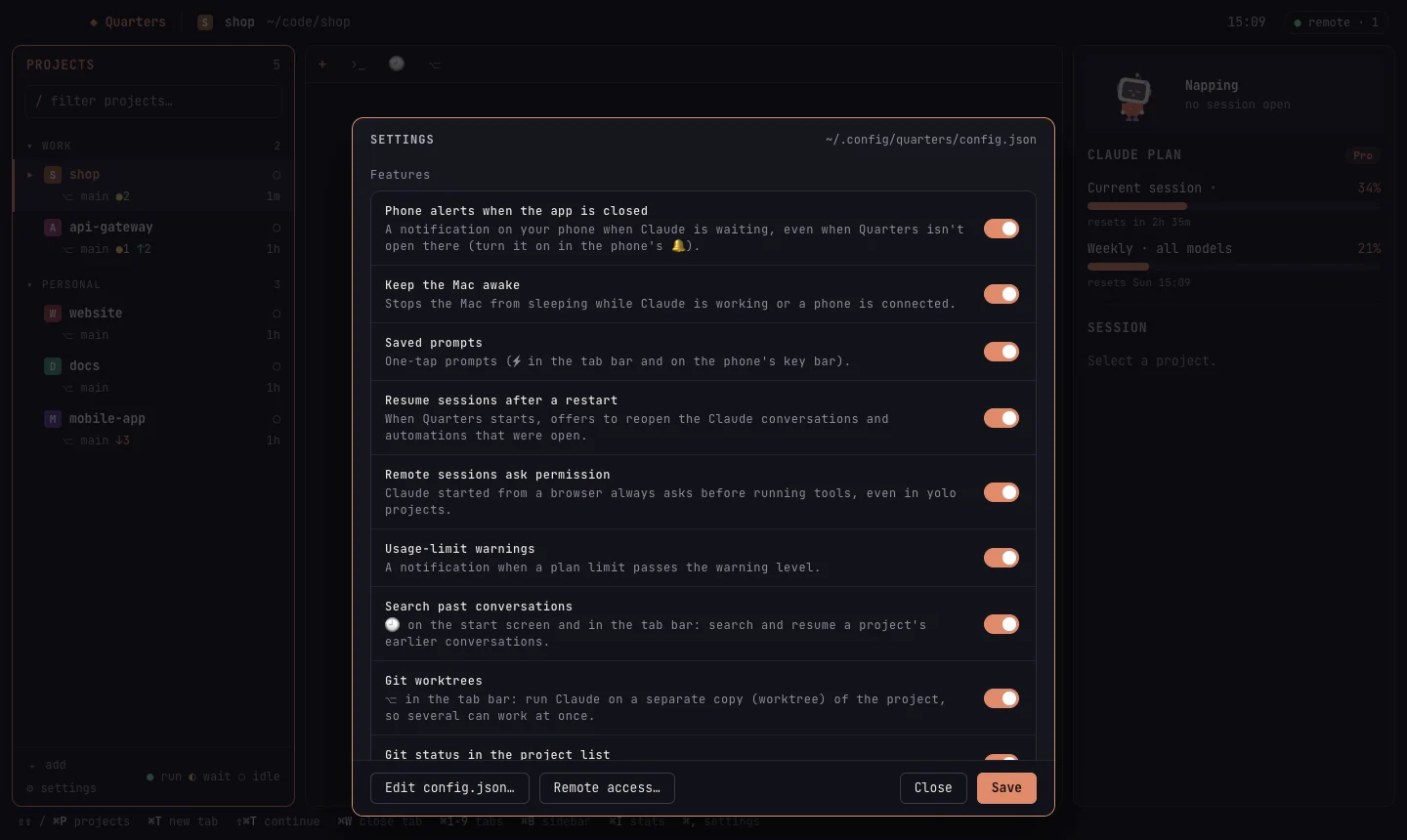
Every optional feature has a switch. Claude's permission mode can be set for everything or per project. Your projects live in one plain config.json you can edit by hand.
Remote access
Run Quarters on the machine that has your code, a desktop at home or a Mac mini in a cupboard, and open it from any browser. The same projects and the same live sessions: start Claude at your desk, approve it from the sofa, finish on the laptop.
Security
Remote access gives whoever signs in a shell on your Mac, so it's designed so that nobody but you can.
The server listens only on this Mac. A tunnel you choose (Cloudflare, Tailscale) or your home Wi-Fi reaches it, never an open port.
No device gets in without a one-time link made on the Mac. Optional password sign-in is stored as an argon2id hash.
Rate limits, growing lockouts, a global circuit breaker, and a notification on the Mac for every sign-in.
Host and origin checks, a strict Content-Security-Policy, __Host- cookies, and secrets never shown in diffs.
Keyboard first
Tap ⇧ twice to jump anywhere. Mouse, drag-and-drop and resizable panels are all there too, for when you want them.

Install
Quarters builds from source for now. You need macOS 11+, Go 1.26+, Node.js 20+ and Wails.
go install github.com/wailsapp/wails/v2/cmd/wails@v2.17.0git clone https://github.com/amithgc/quarters && cd quartersmake installBuilds Quarters.app and copies it to /Applications. The first time, right-click → Open (it's signed ad hoc).

Then open Quarters, click a project and press C. That's it.
Questions
No. Quarters is an independent open-source project. It isn't made by, affiliated with or endorsed by Anthropic. Claude and Claude Code are trademarks of Anthropic.
No. Quarters runs Claude Code on your Mac exactly as you would in a terminal. It has no servers, accounts or telemetry. To show your plan's usage, it reads the login Claude Code keeps in the Keychain and sends it only to Anthropic's API, as Claude Code does.
You need Claude Code installed and signed in, the same as using it in a terminal. Quarters adds no costs of its own and is free (MIT licence).
Quarters is a Mac app today. Its remote web app works in any modern browser on any device, so you can use it from Windows, Linux, Android or iOS while the Mac does the work.
It's designed for it: passkeys, pairing only from the Mac, lockouts, origin checks and per-device access levels. Read SECURITY.md for the full design, including its limits.
Star it, try it, and open an issue with what you'd like. Pull requests are welcome; see CONTRIBUTING.md.
